 By
By Generally, unlike a simple ‘Undo’ command, Instagram does not have a native trash bin for Direct Messages that allows one-click restoration. However, over the last few days, I have already been practicing “Download or transfer information” within the Meta Accounts Centre. Based on my latest technical tests, I can confirm to you that this method is effective in retrieving your recently deleted chats. Moreover, I recommend you not to go with third-party apps, as they may impact your Instagram account.
In this tutorial, you will know which recovery method is beneficial for you. And how you can protect your Instagram account from scammers.
Key Takeaways!
- Instagram doesn’t offer you a direct method to restore deleted Instagram messages.
- Using the Downloading the Data method, you will get an email from Meta that contains all your account data. But make sure this approach is not guaranteed to fully recover all your deleted Instagram messages.
- If you turn on Notification History settings on your Android, you may keep the data of recently deleted messages. This is effective only when you have not removed the notification.
- You should not use third-party apps, as they are not guaranteed. In addition, they usually break privacy as well as pose security risks.
- You should recover deleted Instagram messages from a web browser, not from the device’s apps.
- If you have unsent the message, it is not possible to recover because it has gone permanently.
- Under laws like CCPA (California) and GDPR (Europe), Meta is legally supposed to offer you a copy of your data. That is why we recommend you to opt for the ‘Download Your Information’ tool for the most powerful recovery resource.
Overview of Instagram’s Deletion Policy
According to Instagram’s data deletion policy, it allows users a 90-day grace period before the permanent deletion from its servers. Besides this, when you delete a chat with a particular user, it will instantly be removed from your inbox. Moreover, there is no trash folder, unlike photos or media that are deleted and go to the Recently Deleted section.
Most importantly, users are not allowed to retrieve their deleted Instagram messages from their mobile devices. If you are using the Recently Deleted folder to recover your stories, reels, photos, and videos, you can do that within 30 days or 24 hours for stories. However, this option will recover your deleted messages.
If you want to retrieve your deleted Instagram messages, consider using the Data Download Tool. These can easily be recovered if you have removed them instantly or if Instagram doesn’t process the permanent deletion.
Note: If you have unsent your message, you cannot recover it, as it is permanently deleted, even from the Instagram server.
Why Deleted Messages Can Still Be Recovered?
These are the common reasons why you still retrieve your deleted Instagram messages.
- Data Download/Server Logs: With the help of Instagram’s official tool, Download the Data, you just need to request it, and after that, you can easily get access to deleted chats.
- Other Party’s Inbox: Chat is still in your friend’s message section.
- Cloud Backup: All your metadata has already been stored in your iCloud or Google Drive because you have taken a backup.
Is It Possible to Retrieve Deleted DMs in 2026?
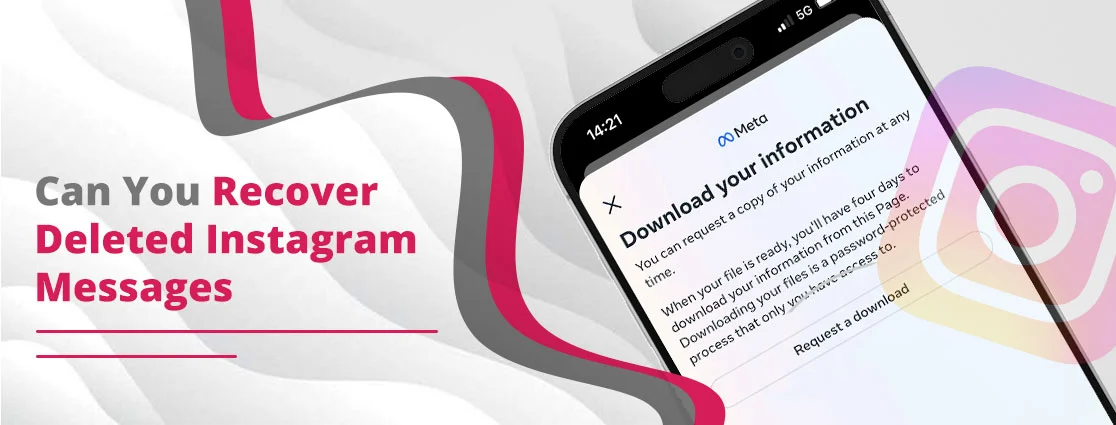
YES! There are some possibilities to recover your deleted Instagram messages. You can consider using Download Your Data within the Meta Accounts Centre. By following its instructions, you can effortlessly restore data that was recently deleted.
Important Point to be Noted! There is no trash bin, so you can consider the above method just like a backup of your data. Moreover, this approach will not retrieve any data that was deleted from a long period of time or conversations in Vanish Mode.
How to Request Your Instagram Data Log via Meta Accounts Centre
The following method will be performed on a web browser for easier file handling. As a result, exporting data on the Instagram app may be complicated and challenging.
- Open any web browser on your desktop.
- Visit Instagram.com and log in to your profile.
- Go to the More icon and move towards Settings.
- From the drop-down list of Meta Account Centre, choose See More in Accounts Centre.
- Choose Your Information and Permissions under Account Settings.
- Now, you need to pick Download or transfer information.
- Click on Some of your information.
- Pick the appropriate and correct profile.
- Choose the Messages from the list that you want to recover.
- Select where you want to export. Here, you will get two options:
- Download to device (for a file link)
- Transfer to destination (for cloud storage like Google Drive)
- After choosing any of the above options, make sure to confirm all the details.
- Pick the specific Date Range you are willing to retrieve, whether it is for
- 3 months,
- Last week,
- 3 years, or
- The last year.
- Click on Start Export.
Now, Instagram will provide you with an overview of what you are going to export and in which format. Make sure you have chosen the HTML format so that you can easily view them on a Text Editor app.
- Re-enter your Instagram Account password. After that, when your data is ready, Instagram will send you an email regarding it.
Note: Professional account users can easily take advantage of the above Download Your Information Tool.
How to Recover Deleted IG DMs Through Your Meta (Facebook) Inbox?
If you have connected your Facebook and Instagram accounts under Accounts Centre, you can easily retrieve your Instagram chats even after they have been deleted from your device.
Pro Tip! I suggest you to use a desktop instead of a mobile device because it often hides the Instagram-synced folder.
Follow these steps to do so:
- Open any browser on your system.
- Visit facebook.com and log in with your necessary credentials.
- Move towards the Messenger icon.
- Look for the username of the person with whom you can chat.
- Again, look for the small Instagram icon.
- Click on the three dots or Options.
- Go for the Archived Chats.
Note: Various users are there who find their deleted Instagram chats under the Facebook archive unless they are cross-app messages from the start. In addition, if you are using a professional account, you need to log in to the Meta Business Suite or Business Suite Inbox on your desktop’s web browser. Make sure there are synced business chats. In some cases, users find that their accounts are not linked or their messages are not appearing on Facebook, which clearly indicates that their cloud data has been deleted.
Can You Recover Photos from Deleted Instagram Chats? Here’s What You Need to Know
You can easily recover your photos and media from your deleted Instagram chats, but with some limitations.
How recovery works for you:
- After deleting the media and photos, Instagram keeps your data for a short period of time on Meta CDN (Content Delivery Network). Moreover, it usually vanishes from the Download Your Data option within a few days.
- If you have already taken a backup on Google Drive or iCloud, it may contain a copy of your photos or media.
How to Retrieve Deleted IG Messages Through Notification History on Android?
These are the steps that will be beneficial for you.
- On Android 11+ version, go to Settings
- Go to Notifications.
- Scroll down a bit.
- Look for Advanced Settings.
- Tap on it.
- Choose Notification History and toggle it on.
- Scroll down your list again to see already dismissed alerts.
- Tap on Instagram.
- Now, you will see every message that you have received with a timestamp. In addition, if your friend has deleted the chat, you can see the text within these Notification Settings.
Note! You will be able to see those messages that are received by you, not sent by you. Besides this, it will only show you text messages. If your friend has shared any reels or photos, Instagram will show you that someone sent you a photo.
How to Contact Instagram Support?
After trying the above methods, if you are not able to retrieve your Instagram messages, you need to connect with IG Support. Keep one thing in your mind that Instagram doesn’t have a straightforward recovery solution, but it can provide you with an option to do so.
- Open Instagram.
- Navigate towards your Profile.
- Go to the three horizontal lines and choose Settings.
- Scroll down a bit.
- Pick Help.
- Go to Report a Problem.
- Select Something Isn’t Working. Explain your issue in depth.
- Submit Your Request.
Note: The above method doesn’t offer you any guarantee that it will surely work out. In addition, it has a low probability of retrieving your deleted Instagram messages.
Why “Unsent” Messages Differ from “Deleted” Conversations
Unsent Messages are those conversations when you send the message and delete it from both sides. Plus, other users will not be able to see the particular chat.
On the other hand, Deleted messages are removed from your device, and your friend can easily see the conversation on their end.
| Basis | Unsent Messages | Deleted Messages |
| Can you recover it? | No, usually, because the messages have been removed from the Instagram server. It can only be retrieved if you have a device that records the notification. | Yes, sometimes, because the deleted chats may remain on the Instagram server. In that case, you can only use the Data Download option within your Instagram account. |
Note: You can also take the help of your friend so that he can share the screenshot of the chat that you have deleted from your side.
Does Instagram Keep Deleted Messages on Its Servers?
YES! Instagram keeps your deleted messages on its server for a very short period of time. It typically holds for up to 90 days as per Instagram’s official Help Center guidelines on data preservation. However, these deleted conversations are instantly removed from your side, but Instagram retains your data for legal, safety, and security compliance before it permanently deletes it.
What Happens to the Content You Delete on Instagram?
There are some circumstances that will occur after deleting messages on Instagram.
- After deleting conversations, they will be instantly deleted from your message box.
- Chats will be accessible and readable to the recipient unless you have not deleted messages using the Unsend option.
- Messages will not be recovered in 30 days, unlike your posts, reels, or videos. In addition, the Recently Deleted option is not applicable to chats.
- Deleted Instagram Chats will automatically go to its servers. That is why, sometimes, users are able to get the erased messages back.
Why Are Third-Party Instagram Recovery Apps Not Recommended?
The following reasons are there; that is why you should not go for third-party recovery apps.
- Credential Theft: Various third-party apps require you to provide your necessary credentials, such as your Instagram User ID and password. Often, it is considered a phishing trap that is specifically designed to hack your account.
-
- Distribution of Malware: Mostly third-party apps are installed from unauthorized sites, which may consist of malicious code. However, they can damage your device as well as steal your data.
- Excessive Permissions: When you tap on the Allow button without reading the third-party app’s policy, it can easily access your contacts, photos, and locations. By getting such types of information, it can be sold to marketing firms, or your data can be exploited by cybercriminals.
- Backend Access Limitations: These third-party apps completely lack access to the Instagram server, where all the data is stored. Instagram (Meta) uses end-to-end encryption, which doesn’t offer a public API to recover messages. However, these apps use credential theft or screen scraping.
- End-to-End Encryption Barriers: Even with these third-party apps, there is a lack of security that doesn’t allow you to decrypt or recover your deleted chats.
Warning! Various Chrome Extensions are available that ask for your “Token” or “Session Cookie.” They just want to disable your Two-Factor Authentication (2FA).
How to Protect Your Privacy While Retrieving Lost Data
Follow these tips and tricks to protect your privacy.
- Turn on Two-Factor Authentication (2FA) so that you can protect your Instagram account from fraudulent access while you are doing recovery attempts from Instagram Security Settings.
- You can simply take a screenshot manually of the important chats to maintain a private record.
- Official security alerts will only appear in ‘Settings > Security > Emails from Instagram.’ Any DM claiming to be ‘Support’ is a phishing attempt. If you have received any kind of messages from Instagram, it means there is a scammer who wants to hijack your account.
- Consider using Notification history as a backup method; if the data is gone, you can easily access it.
2 Red Flags of a DM Recovery Scam
These are the common red flags that users usually see.
- Phishing Message Scams: These are kinds of misleading emails or DMs that pretend to be Instagram support. Often, they warn of immediate account suspension or suspicious account activity. In addition, they consist of a request that you need to mention your personal Instagram information.
Let’s take a look at the following examples:
- “Your Instagram account will be permanently deleted within 24 hours because of copyright issues. Click this link to appeal.”
- “An unauthorized login attempt was detected. Verify your account instantly.”
- “You have been reported for breaking Instagram’s privacy policy. Sign up to get rid of this.”
- “Too Good to Be True” Speed and Promises: Here, scammers claim that they will retrieve your messages within a few minutes, regardless of how long ago you deleted chats. But the reality is, if you have already unsent the messages, they are gone permanently. In such a case, no third-party tool can help you out.
Vanish Mode vs. Permanent Deletion on Instagram
The following table will clear your doubt about which message you can probably recover.
| Basis | Vanish Mode | Permanent Deletion |
| Definition | It is a privacy feature where chats disappear after being viewed, and both individuals have left the chat. | It is a user-initiated removal of conversations. Or, you have removed the entire chat from Instagram Direct. |
| Trigger | This Vanish Mode is activated when you swipe up in a one-on-one conversation. | User manually removes a certain message or a thread. |
| Visibility Duration | It is short-lived. | It persists until you manually delete it. |
| Recovery Possibility | Chats will not be recovered once they are gone. In addition, there are limited options to recover:
Note: Actual vanished data will not be included. |
This is not recoverable. In fact, deleted messages do not show in Instagram’s official data download. |
| Data Download Option | It may show metadata, such as sender information or timestamps. | While the Data Download tool is the most reliable method, it only captures messages still present on Meta’s server. If the 90-day retention window has passed, the data will be excluded. |
| Screenshot Notifications | The user will get a notification if someone has taken a screenshot, not when they have deleted the chat. | There are no screenshot notifications for regular deleted messages. |
| Use Case | Temporary and primarily focused conversations | Inbox cleanup, or there is a permanent removal of sensitive chats. |
Key Insights!
- With the help of Instagram’s Download Your Information tool, you can restore metadata. But keep in mind that this utility can’t retrieve any of the unsent or vanished content.
- Vanish Mode has a temporary encryption key that is erased the moment you exit the chat.
Frequently Asked Questions And Their Answers
The following questions are mostly asked by users, as listed by our expert. By reading them, you will have a better understanding of recovering deleted Instagram messages.
Q1. When you delete an Instagram chat, is it gone forever?
Ans. After deleting your Instagram chats, they are generally gone forever, but not completely from the Instagram server. However, your conversation has only been deleted from your inbox section. In addition, your friend may still keep the data.
Q2. Does Instagram keep deleted messages?
Ans. NO! Instagram doesn’t keep generally deleted messages. Moreover, deleted messages are totally dependent on how you have removed them.
Q3. Does permanently deleting a chat delete it for everyone?
Ans. NO! When you delete a chat on Instagram, it is only removed from your inbox section, not from the other user’s as well. Your friend can easily see all conversations in their inbox.
Q4. Can the other person see deleted chats on Instagram?
Ans. YES! Other users can easily see all the deleted messages, unless you have chosen the Unsend option. If you have tapped on this, the specific chat will not be viewed by both you and your friend.
Q5. What happens if you delete a conversation with someone on Instagram?
Ans. There will be only one side action from you. In addition, other users will not get any notification that you have deleted a conversation. Moreover, if you have shared any media, they can also be accessed by others.
Q6. How do you permanently delete Instagram messages on both sides?
Ans. Follow the steps as listed below:
- Open Instagram.
- Go to Messages on the left-hand side.
- Choose the person.
- Type down any message you are willing to unsend.
- Tap and hold the specific message.
- Choose Unsend.
Q7. How to recover permanently deleted chats?
Ans. These are the following steps that you have to follow to do so.
- After opening Instagram, go to your profile.
- Tap on three horizontal lines.
- Move towards Your Activity.
- Navigate to ‘Download Your Information’ and ensure you select ‘End-to-End Encrypted’ chats. You will be prompted to use your 6-digit pin or 64-character recovery code to include these in your file.
- Tap on Next.
- Type down your Instagram Account Password.
- Navigate to Request Download.
- It will take your chats back up.
Concluding Words!
There are only limited ways through which you can recover your recently deleted Instagram messages. But make sure that if you have chosen the “Unsend” option, Instagram will not allow you to retrieve them. However, these conversations disappear instantly and on a permanent basis. Besides this, if you see that any third-party apps are claiming that they can restore direct messages, no matter how long you have deleted them, they are indicating that they are fraudulent. So, you need to make sure that if you go with them, your Instagram account may come under risk. The decision depends upon your risk tolerance.